
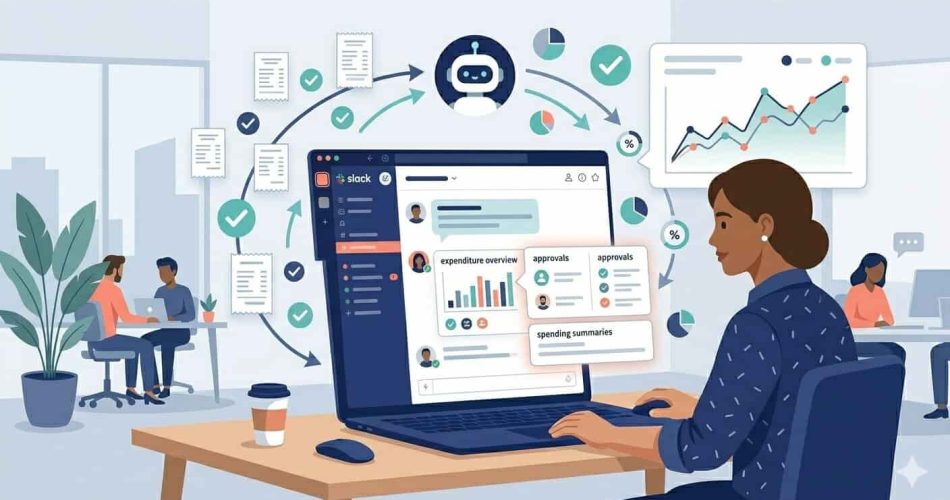
For many finance teams, the end of the month doesn’t feel like progress – it feels like cleanup. Reimbursement requests come in late. Receipts are missing, blurry, or submitted in the wrong format. Slack messages pile up asking the same question: “Has this been processed yet?” What should be a routine employee expense reimbursement workflow turns into a reactive scramble that consumes hours nobody budgeted for.
This kind of chaos doesn’t come from scale alone. It comes from systems that were never designed to handle how modern teams actually work – distributed, fast-moving, and tool-heavy. A remote employee submitting a home office expense, a salesperson expensing a client dinner from an airport, a contractor invoicing for travel reimbursement across three currencies – these aren’t edge cases in 2026. They’re the standard.
The shift away from reimbursement chaos starts with structure. Not more rules or more oversight — better systems that remove the guesswork, automate the manual steps, and give every stakeholder the visibility they need without chasing it down. This guide covers exactly how to build those systems, from writing a policy that actually works to automating the workflows that slow most finance teams down.
This guide covers exactly how to get there, from building a policy that actually works to automating the workflows that slow most finance teams down.
Employee expense reimbursement is the process of repaying staff for legitimate business costs they have paid out of pocket, including travel, meals, mileage, software, and remote work expenses. In 2026, the IRS mileage rate for business travel is 72.5 cents per mile. A structured reimbursement process with automated approval workflows and accounting integrations eliminates manual errors, speeds up payments, and keeps every claim audit-ready.
TL;DR, Quick Summary
- A clear expense policy removes guesswork and improves submission quality immediately
- Remote and hybrid teams need reimbursement processes that reflect distributed work patterns
- Mileage and travel are the highest-error categories in most reimbursement workflows
- Automated approval routing and policy enforcement reduce manual reviews significantly
- Disconnected finance tools create hidden overhead that compounds over time
- ExpenseTron automates the entire reimbursement cycle inside Slack, submission, approval, accounting sync, and reporting, without a separate platform


Build a Reimbursement Policy That Removes Guesswork
An expense reimbursement process only works as well as the policy behind it. When employees are unsure what qualifies, finance teams end up reviewing unnecessary or inconsistent claims, and the back-and-forth that follows costs everyone time.
Define Clear Expense Categories With Examples
Employees should not have to interpret policy language. Categories like travel, software, meals, client entertainment, and professional development need to be clearly defined with practical examples, not just labels.
The difference between “meals are reimbursable” and “meals with clients are reimbursable up to $75 per person with prior manager approval” is the difference between a policy and a guideline. One creates clarity. The other creates a weekly stream of clarification requests.
When expense boundaries are obvious, submission quality improves immediately, and so does the speed of approvals.
Standardize High-Frequency Expenses
Some expenses occur so frequently that reviewing each one individually adds no meaningful value. Daily meals under a set limit, standard parking fees, or recurring software subscriptions are better handled through predefined limits or auto-approval thresholds.
This reduces the volume of decisions managers need to make without reducing financial control; the decisions simply happen at the policy level rather than the approval level.
Consider Flat-Rate Allowances for Remote Expenses
In 2026, remote work expenses are no longer an exception; they’re a standard category. Internet, home office equipment, and communication tools are legitimate business costs for distributed teams, and your expense reimbursement policy needs to reflect that.
Flat-rate reimbursements, a fixed monthly internet stipend, and a one-time home office equipment allowance remove the need for detailed validation of personal bills. Employees know what they’ll receive, finance teams avoid manual partial-expense checks, and accounting is straightforward.
This is one of the easiest structural changes a small business can make to reduce finance workload without losing control.
Keep the Policy Easy to Find and Reference
A good expense reimbursement policy isn’t just comprehensive, it’s usable. If employees can’t quickly check what’s allowed when they’re about to pay for something, they’ll either guess or avoid submitting the expense altogether.
The policy should live somewhere employees can access it in seconds, ideally inside the same tool where they submit expenses. For teams using Slack, pinning a policy summary in a dedicated finance channel means the answer is always one search away.
Adapt Your Reimbursement Process for Remote and Hybrid Teams
Most expense reimbursement processes were built for centralized offices where employees incurred predictable, similar costs. That model no longer describes how most small businesses operate.
Account for Distributed Expense Patterns
Employees now incur business costs from multiple environments, home offices, coworking spaces, client sites, and airports. Internet costs, coworking day passes, ergonomic equipment, and phone bills are genuine business expenses for employees who work outside a traditional office.
A reimbursement process that wasn’t designed for these categories creates friction at the point of submission, which leads to delayed claims, incomplete records, and employees quietly absorbing costs they’re entitled to recover.
Replace Receipt-Heavy Workflows for Remote Expenses
Reviewing personal utility bills for partial reimbursement is one of the most time-consuming validation exercises in any finance workflow. It requires the employee to calculate their business-use percentage, the finance team to verify it, and someone to decide whether the documentation is sufficient.
Flat-rate models eliminate this. A fixed $50 monthly internet allowance requires no bill, no calculation, and no manual verification. The same logic applies to phone reimbursements, home office supplies, and similar recurring costs.
Align Policies Across In-Office and Remote Employees
Hybrid teams often face inconsistencies between what’s available to in-office employees and what remote employees can claim. In-office staff may have access to a subsidized cafeteria; remote employees incur meal costs independently. In-office staff have company equipment; remote employees may be using personal devices.
A reimbursement policy that creates two tiers of employee experience, one for those physically in the office and one for those working remotely, damages fairness perceptions and creates quiet resentment. Standardizing benefits and allowances across work types keeps the policy consistent as teams grow and work arrangements evolve.
Fix the Highest-Error Area: Mileage and Travel Reimbursement
Mileage and travel expense reimbursement are where small inaccuracies accumulate into recurring problems, and where manual processes are most likely to fail.
Why Manual Mileage Logs Don’t Work
Relying on employees to track mileage manually leads to estimates, forgotten trips, and incomplete records. Even with the best intentions, accuracy suffers when someone is reconstructing a week of driving from memory at the end of the month.
In 2026, the IRS standard mileage rate for business-related travel is 72.5 cents per mile, up from 70 cents in 2025. For employees who drive regularly for work, the difference between an accurate log and an estimate can add up to hundreds of dollars per year, in both directions.
Choose the Right Reimbursement Model for Travel
Different roles require different approaches. Occasional travel can follow the standard mileage rate with straightforward documentation. Frequent travelers may benefit from structured per diems or flat allowances that eliminate the need for itemized receipt reviews.
The key is aligning the reimbursement model with actual usage patterns rather than applying a single policy across roles with very different expense behaviors.
Automate Distance and Expense Tracking
Automation removes guesswork entirely. When mileage is captured in real time and submitted directly through an expense tool, reimbursements are based on actual data rather than memory. Receipt scanning tools extract merchant names, dates, and amounts automatically, eliminating the manual data entry step that introduces most submission errors.
When travel expenses are standardized and verified upfront, approvals become faster. Managers spend less time reviewing and more time making decisions that actually require judgment.
Replace Manual Reviews With Built-In Controls
Many finance teams rely on manual checks to maintain control over expense reporting. In practice, this approach slows everything down without fully eliminating risk.
Identify Where Errors Actually Happen
Most reimbursement issues, duplicate claims, out-of-policy expenses, and missing receipts occur during submission, not at the approval stage. By the time a submission reaches a manager, the information is already incomplete or incorrect. Correcting it at that point requires back-and-forth communication that adds days to the cycle.
Prevention is significantly more effective than correction. The most efficient expense approval workflow designs catch issues at the point of submission, before they enter the review queue.
Embed Policy Into the Submission Workflow
When expense policies are built into the submission system itself, expenses can be validated automatically as they’re entered. An out-of-category expense gets flagged. A duplicate receipt triggers an alert. A submission that exceeds the daily meal limit is held for additional approval rather than passing through unreviewed.
This reduces back-and-forth between employees and finance teams, speeds up the review cycle, and creates a consistent standard that doesn’t depend on individual reviewers applying policy correctly.
Automate Approval Routing
Instead of relying on manual follow-ups and manager availability, approvals should follow predefined paths based on role, expense category, and amount. A $15 parking fee doesn’t need the same approval chain as a $2,000 conference registration.
Automated routing ensures that the right approver sees each expense without any manual assignment, keeps the process moving without constant oversight, and eliminates the bottleneck that forms when a single approver is traveling or out of the office.
Build Audit Readiness Into the Process
A structured expense reimbursement system creates a clear, timestamped record of every action, submission, approval, and payment. When every expense is attached to a receipt, categorized correctly, and approved through a documented workflow, audit preparation becomes a report rather than a reconstruction.
This audit trail also protects the business in disputes or compliance reviews. Control becomes a byproduct of good process design rather than something that requires additional effort to demonstrate.
Eliminate Data Silos Across Finance Tools
Even well-managed expense tracking software breaks down when systems don’t communicate with each other.
The Hidden Cost of Disconnected Systems
When expense data has to be manually re-entered into accounting tools, errors multiply, and reporting becomes inconsistent. An expense approved in one system, exported to a spreadsheet, and manually entered into QuickBooks has passed through three potential failure points before it reaches the general ledger.
This hidden operational overhead is easy to underestimate because it’s distributed across small, repetitive tasks rather than visible as a single large cost. But for a finance team processing hundreds of expenses per month, the cumulative effect on accuracy and workload is significant.
Integrate Directly With Accounting Platforms
Connecting your expense reimbursement software with tools like QuickBooks or Xero ensures that approved expenses automatically update financial records. No re-entry, no reconciliation step, no duplicate data.
This also accelerates the month-end close. When expense data flows into accounting systems in real time as approvals happen, the end-of-month reconciliation becomes verification rather than construction.
Create a Continuous Data Flow
The ideal expense reimbursement process is continuous: submission, approval, and accounting all happen within a connected system. No handoffs between tools, no manual exports, no data re-entry.
When this is working correctly, finance teams have real-time visibility into company spending at any point in the month, not just when the monthly report is run. That visibility changes how financial decisions get made.

Improve the Employee Experience Without Adding Complexity
Expense reimbursement may sit with finance, but its impact is felt across the organization. When the process is slow, opaque, or cumbersome, it creates friction for employees who are already focused on their core work.
Reduce Submission Effort
If submitting an expense takes more than two minutes, employees will delay it, batch it, or avoid it altogether. Delayed submissions create late data, which creates reporting gaps, which creates extra work for finance teams chasing completions at the month-end.
The most effective submission experiences are the ones that happen in the moment, at the restaurant, at the petrol station, at the coworking space, before the receipt is lost and the details are forgotten. Mobile receipt capture that takes seconds, not minutes, is the standard employees expect in 2026.
Increase Transparency Into Reimbursement Status
Employees should be able to track the status of their reimbursement without sending a Slack message to finance. When the process is a black box, expense submitted, then silence, employees lose confidence in the system and start following up manually, which creates the exact inbox volume that the system was supposed to eliminate.
Real-time status visibility, automatic notifications when expenses are approved or queried, and clear timelines for payment all reduce unnecessary follow-up communication.
Speed Up the Reimbursement Cycle
Faster approvals lead to faster payouts. When employees aren’t waiting two or three weeks for reimbursement on a personal expense, the process feels reliable. When it takes a month, it erodes trust, and high-value employees start questioning whether it’s worth submitting small expenses at all.
The reimbursement cycle speed is one of the clearest signals of how well a finance operation is running. Shortening it should be an explicit goal, not a byproduct of other improvements.
How ExpenseTron Brings It All Together
This is where ExpenseTron fits into the picture, not as another tool to manage, but as the system that connects everything, running natively inside Slack, where your team already works.
Frictionless Expense Submission in Slack
Employees snap a photo of a receipt and send it directly to Slack, or forward an email receipt, and ExpenseTron automatically handles extraction, categorization, and routing. There’s no separate portal, no manual data entry, and no context-switching out of the tools your team uses every day.
For employees who travel or work remotely, mileage reimbursement is equally simple. They specify the distance traveled, and ExpenseTron converts it to a reimbursable amount automatically, no manual mileage logs, no calculation errors.
Automated Policy Enforcement
Every submission is validated against your company’s expense policy before it moves forward. Out-of-policy expenses are flagged automatically. Missing receipts trigger a request before the claim enters the approval queue. This means approvers only see complete, compliant submissions, reducing the back-and-forth that slows most expense approval workflows down.
Flexible, Customizable Approval Chains
Approval workflows in ExpenseTron are fully customizable based on department, expense category, amount, and role. A small travel claim follows one path. A large equipment purchase follows another. Multi-level approval chains, up to three manager tiers, are supported natively, and the entire chain operates inside Slack with no external logins required.
Real-Time Accounting Sync
Approved expenses sync automatically to QuickBooks and Xero, eliminating manual re-entry and keeping financial records accurate in real time. Managers can also view spending patterns across the team from the ExpenseTron dashboard, by employee, by category, or by time period, giving finance teams the visibility they need without waiting for a monthly report.
For teams already using AttendanceBot for time tracking and leave management, ExpenseTron completes the Slack-native HR and finance stack. Time off, attendance, and expenses, all managed inside one workspace, without switching platforms.
Reimbursement Model Comparison
| Model | Best For | Admin Effort | Employee Experience |
| Per-claim reimbursement | Variable, infrequent expenses | High | Flexible but slow |
| Flat-rate allowances | Recurring remote expenses | Low | Predictable and fast |
| Per diem rates | Frequent business travel | Medium | Standardized |
| Corporate card + auto-sync | High-volume teams | Low | No out-of-pocket |
| Slack-native submission (ExpenseTron) | Distributed small teams | Very low | Frictionless |
Frequently Asked Questions
What Is Employee Expense Reimbursement?
Employee expense reimbursement is the process by which employers repay staff for legitimate business costs paid out of pocket, such as travel, meals, mileage, software, and remote work expenses. When managed correctly through an IRS-qualified plan, reimbursements are tax-free to the employee and fully deductible to the business.
What Is the IRS Mileage Rate for 2026?
The IRS standard mileage rate for business travel in 2026 is 72.5 cents per mile, up from 70 cents in 2025. Reimbursements above this rate may be treated as taxable income, so most companies align their mileage policy to the IRS rate.
How Do I Automate the Expense Reimbursement Process?
Automated expense reporting works by connecting your submission process directly to your approval workflow and accounting system. Tools like ExpenseTron allow employees to submit expenses inside Slack, automatically validate them against company policy, route them to the correct approver, and sync approved claims to QuickBooks or Xero, all without manual intervention.
What Is the Best Expense Reimbursement Software for Small Businesses?
For small businesses running on Slack, ExpenseTron is the most frictionless option; the entire expense reimbursement cycle happens inside Slack with no separate platform required. You can read a full comparison of expense management tools in our guide to the best expense management software for small businesses. If you want real pricing and payout options side by side, here’s our breakdown of the best expense reimbursement software for small teams.
How Do I Handle Expense Reimbursements for Remote Employees?
Remote employee reimbursements typically cover internet costs, home office equipment, phone usage, and coworking fees. Flat-rate allowances are the most practical approach; a fixed monthly stipend removes the need for partial-bill reviews and creates consistency across distributed teams.
How Long Should the Reimbursement Cycle Take?
Best practice is to reimburse within five to seven business days of approval. Cycles that stretch beyond two weeks create cash flow pressure on employees and generate follow-up communication that adds hidden admin overhead. Automated approval workflows and direct accounting integrations are the fastest way to compress the cycle.
From Chaos to Control, Starting Today
Reimbursement chaos is rarely caused by one major flaw. It’s the accumulated result of small inefficiencies, unclear policies, manual reviews, disconnected tools, and inconsistent processes that each seem minor until you add them up across a full year.
Fixing it doesn’t require more effort. It requires better structure. When policies are clear, workflows are automated, and tools are connected, employee expense reimbursement stops being a monthly disruption and becomes something your team barely notices, because it just works.
Start your free 14-day ExpenseTron trial and see how automated expense management inside Slack changes the way your finance team operates.


